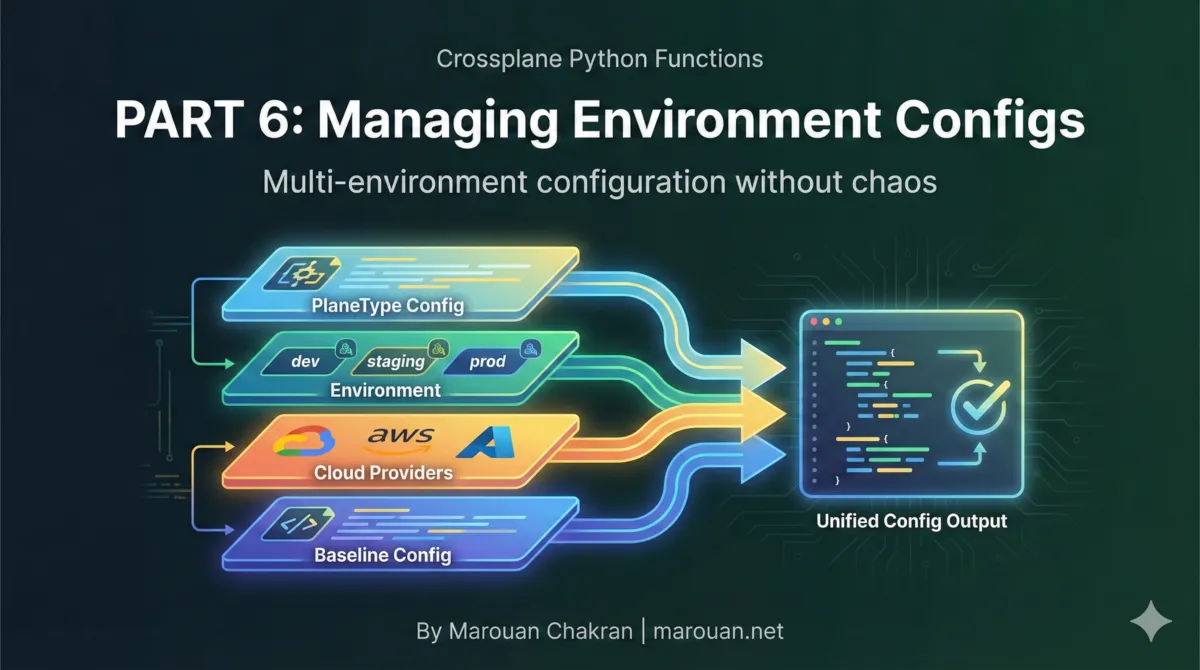
Configuration Management with EnvironmentConfigs
Crossplane Python Functions | Part 6
Building a production multi-cloud platform with Python
Hard-coded values don't scale. Your production cluster needs different machine types than development. Your GCP clusters need different defaults than AWS. Your monitoring team wants to enable Prometheus everywhere except test environments.
Crossplane EnvironmentConfigs solve this. This post shows how to build a flexible, layered configuration system that your compositions can access at runtime.
The Problem: Hard-Coded Values Everywhere
Consider this composition logic:
def deploy_cluster(c: Composition):
    myplatform.add_nodepool(
        composition=c,
        name="default",
        template={
            "spec": {
                "forProvider": {
                    "machineType": "e2-medium",      # Hard-coded!
                    "diskSizeGb": 100,               # Hard-coded!
                    "nodeCount": 3,                  # Hard-coded!
                }
            }
        },
    )
Problems:
- Changing defaults requires code changes - Want bigger disks? Edit code, rebuild, redeploy
- No environment differentiation - Dev, staging, and prod use the same values
- No cloud-specific defaults - GCP and AWS have different optimal settings
- Team-specific overrides are impossible - ML team needs GPUs, but that's not the default
EnvironmentConfigs: External Configuration
EnvironmentConfigs are Crossplane custom resources that provide external configuration to compositions.
Basic EnvironmentConfig
apiVersion: apiextensions.crossplane.io/v1alpha1
kind: EnvironmentConfig
metadata:
  name: defaults
  labels:
    baseline: default
data:
  defaultMachineType: e2-medium
  defaultDiskSizeGb: 100
  defaultNodeCount: 3
  monitoring:
    enabled: true
    retention: 30d
Accessing in Compositions
Crossplane merges matching EnvironmentConfigs into the function's context:
def deploy_cluster(c: Composition):
    # Access environment config data
    machine_type = c.env.get("defaultMachineType", "e2-medium")
    disk_size = c.env.get("defaultDiskSizeGb", 100)
    node_count = c.env.get("defaultNodeCount", 3)

    myplatform.add_nodepool(
        composition=c,
        name="default",
        template={
            "spec": {
                "forProvider": {
                    "machineType": machine_type,
                    "diskSizeGb": disk_size,
                    "nodeCount": node_count,
                }
            }
        },
    )
Label-Based Selection
EnvironmentConfigs are selected based on label matching in your composition definition.
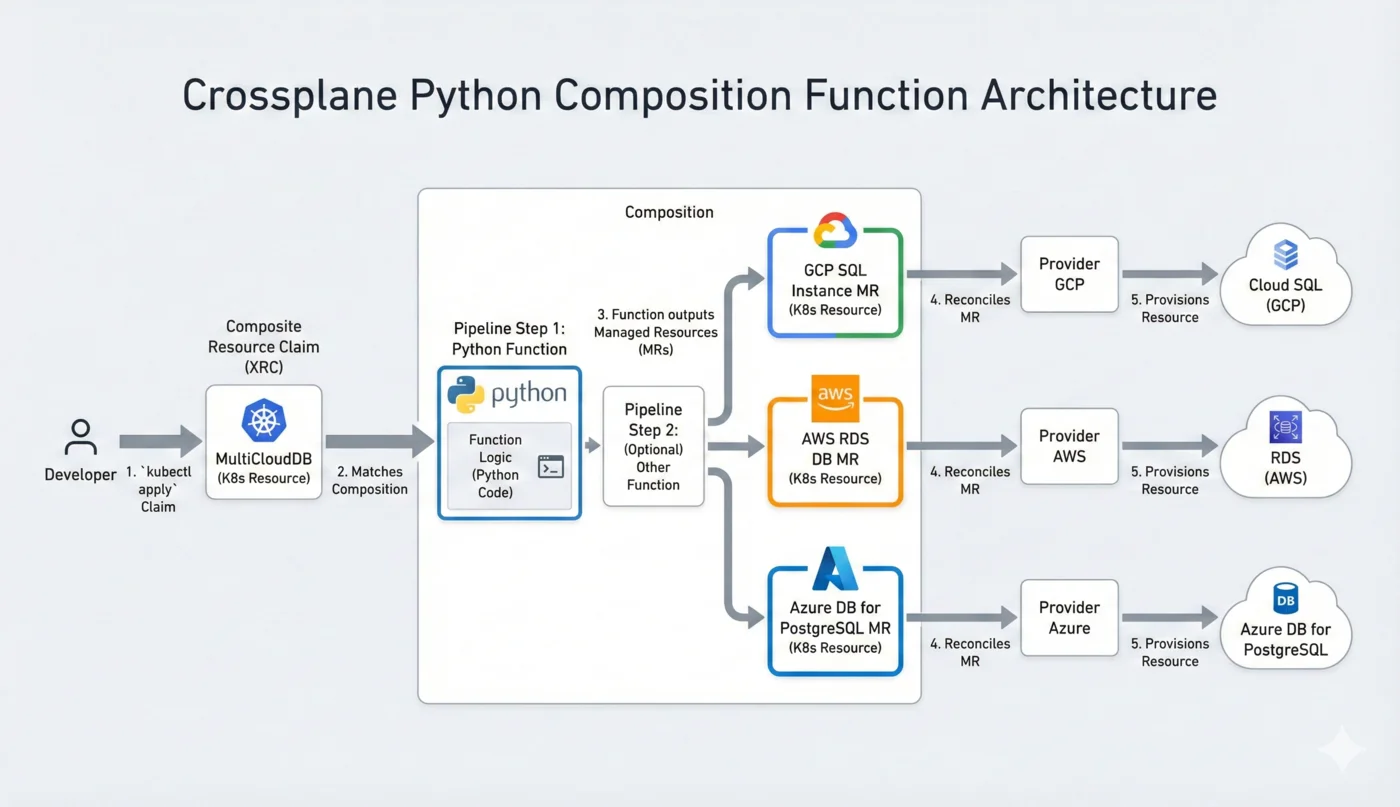
Composition Environment Selector
apiVersion: apiextensions.crossplane.io/v1
kind: Composition
metadata:
  name: xclusters.myplatform.io
spec:
  compositeTypeRef:
    apiVersion: myplatform.io/v1alpha1
    kind: XCluster
  environment:
    environmentConfigs:
      # Always include baseline defaults
      - type: Selector
        selector:
          matchLabels:
            - key: baseline
              type: Value
              value: default

      # Include cloud-specific config based on XR label
      - type: Selector
        selector:
          matchLabels:
            - key: cloud
              type: FromCompositeFieldPath
              valueFromFieldPath: metadata.labels[cloud]

      # Include environment-specific config
      - type: Selector
        selector:
          matchLabels:
            - key: environment
              type: FromCompositeFieldPath
              valueFromFieldPath: metadata.labels[environment]
EnvironmentConfigs for Different Selectors
# Baseline defaults (always applied)
apiVersion: apiextensions.crossplane.io/v1alpha1
kind: EnvironmentConfig
metadata:
  name: defaults
  labels:
    baseline: default
data:
  defaultMachineType: e2-medium
  defaultDiskSizeGb: 100
---

# GCP-specific defaults
apiVersion: apiextensions.crossplane.io/v1alpha1
kind: EnvironmentConfig
metadata:
  name: cloud.gcp
  labels:
    cloud: gcp
data:
  defaultMachineType: e2-standard-4
  defaultRegion: us-central1
---

# AWS-specific defaults
apiVersion: apiextensions.crossplane.io/v1alpha1
kind: EnvironmentConfig
metadata:
  name: cloud.aws
  labels:
    cloud: aws
data:
  defaultMachineType: t3.xlarge
  defaultRegion: us-east-1
---

# Production environment
apiVersion: apiextensions.crossplane.io/v1alpha1
kind: EnvironmentConfig
metadata:
  name: env.production
  labels:
    environment: production
data:
  defaultNodeCount: 5
  defaultDiskSizeGb: 500
  monitoring:
    retention: 90d
Multi-Layer Configuration Hierarchy
The power of EnvironmentConfigs comes from layering. Later configs override earlier ones.
Layer Order
- Baseline - Global defaults for everything
- Cloud - Cloud-specific overrides
- Environment - Dev/staging/prod overrides
- PlaneType - Team or project-specific overrides
- Plane-specific - Individual cluster overrides
Example: Full Hierarchy
# 1. Baseline
name: defaults
labels:
  baseline: default
data:
  defaultMachineType: e2-medium
  defaultNodeCount: 3
  monitoring:
    enabled: true
    retention: 30d

---

# 2. Cloud: GCP
name: cloud.gcp
labels:
  cloud: gcp
data:
  defaultMachineType: e2-standard-4  # Override

---

# 3. Environment: Production
name: env.production
labels:
  environment: production
data:
  defaultNodeCount: 5               # Override
  monitoring:
    retention: 90d                  # Override (nested)

---

# 4. PlaneType: ML
name: planetype.ml
labels:
  planeType: ml
data:
  defaultMachineType: n1-standard-8  # Override
  gpuEnabled: true                   # New field
Resulting Merged Config
For a GCP production ML cluster:
c.env = {
    "defaultMachineType": "n1-standard-8",  # From planetype.ml
    "defaultNodeCount": 5,                   # From env.production
    "monitoring": {
        "enabled": True,                     # From baseline
        "retention": "90d",                  # From env.production
    },
    "gpuEnabled": True,                      # From planetype.ml
}
Accessing Configs in Python
Direct Access
def deploy_cluster(c: Composition):
    # Simple values
    machine_type = c.env.get("defaultMachineType", "e2-medium")

    # Nested values with pydash
    from pydash import get

    retention = get(c.env, "monitoring.retention", "30d")
    prometheus_enabled = get(c.env, "monitoring.prometheus.enabled", True)
Safe Access with Defaults
def get_config(c: Composition, path: str, default=None):
    """Safely get a config value with a default."""
    from pydash import get
    return get(c.env, path, default)

# Usage
retention = get_config(c, "monitoring.retention", "30d")
gpu_type = get_config(c, "gpu.type")  # Returns None if not set
Boolean Checks
def is_monitoring_enabled(c: Composition) -> bool:
    return get(c.env, "monitoring.enabled", True)

def is_gpu_cluster(c: Composition) -> bool:
    return get(c.env, "gpuEnabled", False)

# Usage
if is_monitoring_enabled(c):
    add_prometheus(c)

if is_gpu_cluster(c):
    add_gpu_nodepool(c)
Cloud-Specific Configuration
Different Defaults Per Cloud
# GCP defaults
name: cloud.gcp
labels:
  cloud: gcp
data:
  defaultRegion: us-central1
  defaultMachineType: e2-standard-4
  defaultDiskType: pd-ssd
  maxPods: 110
  networkPolicy: calico

---

# AWS defaults
name: cloud.aws
labels:
  cloud: aws
data:
  defaultRegion: us-east-1
  defaultMachineType: t3.xlarge
  defaultDiskType: gp3
  maxPods: 58  # AWS has different pod limits
  networkPolicy: aws-cni
Using Cloud Configs
def deploy_cluster(c: Composition):
    # These automatically use the right values per cloud
    region = c.env.get("defaultRegion")
    machine_type = c.env.get("defaultMachineType")
    disk_type = c.env.get("defaultDiskType")

    c.log.info(
        "Deploying cluster",
        cloud=c.cloud,
        region=region,
        machine_type=machine_type,
    )
Chart Configuration Pattern
A common pattern is configuring Helm charts via EnvironmentConfigs.
Chart Defaults
# defaults.charts.cert-manager.yaml
apiVersion: apiextensions.crossplane.io/v1alpha1
kind: EnvironmentConfig
metadata:
  name: defaults.charts.cert-manager
  labels:
    baseline: default
data:
  charts:
    cert-manager:
      enabled: true
      version: v1.14.0
      values: |
        installCRDs: true
        prometheus:
          enabled: true
Overriding Chart Config
# env.production chart overrides
name: env.production
labels:
  environment: production
data:
  charts:
    cert-manager:
      values: |
        installCRDs: true
        prometheus:
          enabled: true
        replicaCount: 3  # Production needs HA
Consuming Chart Configs
def add_helm_releases(c: Composition):
    charts = c.env.get("charts", {})

    for chart_name, config in charts.items():
        if config.get("disabled", False):
            c.log.info(f"Skipping disabled chart: {chart_name}")
            continue

        myplatform.add_helm(
            composition=c,
            name=f"helm-{chart_name}",
            template={
                "spec": {
                    "forProvider": {
                        "chart": {
                            "name": chart_name,
                            "version": config.get("version"),
                        },
                        "values": config.get("values", ""),
                    }
                }
            },
            uses=["cluster", "k8s-provider"],
        )
Conditional Features
Enable or disable features based on config:
# Feature flags in baseline
name: defaults
labels:
  baseline: default
data:
  features:
    externalDns: true
    certManager: true
    ingressNginx: true
    monitoring: true
    networkPolicy: false

---

# Test environment disables some features
name: planetype.test
labels:
  planeType: test
data:
  features:
    monitoring: false
    externalDns: false
Using Feature Flags
def deploy_cluster(c: Composition):
    features = c.env.get("features", {})

    # Core cluster resources
    myplatform.add_cluster(...)

    # Conditional features
    if features.get("certManager", True):
        add_cert_manager(c)

    if features.get("ingressNginx", True):
        add_ingress_nginx(c)

    if features.get("monitoring", True):
        add_prometheus_stack(c)

    if features.get("networkPolicy", False):
        add_network_policies(c)
Testing with Local Configs
For local testing with crossplane beta render, provide configs with -e:
crossplane beta render \
  claim.yaml \
  composition.yaml \
  functions.yaml \
  -e examples/envconfigs/  # Directory of EnvironmentConfig files
Test Directory Structure
examples/
├── envconfigs/
│   ├── defaults.yaml
│   ├── cloud.gcp.yaml
│   ├── cloud.aws.yaml
│   ├── env.production.yaml
│   └── planetype.test.yaml
└── claims/
    ├── gcp-prod-claim.yaml
    ├── aws-dev-claim.yaml
    └── test-claim.yaml
Best Practices
1. Use Meaningful Labels
# Good: Semantic labels
labels:
  baseline: default
  cloud: gcp
  environment: production
  planeType: ml

# Avoid: Generic labels
labels:
  type: config1
  name: myconfig
2. Document Expected Fields
# In your defaults config, include comments
data:
  # Machine type for default node pools
  # Override in cloud-specific configs
  defaultMachineType: e2-medium

  # Disk size in GB for node pool disks
  defaultDiskSizeGb: 100

  # Monitoring configuration
  monitoring:
    # Enable Prometheus stack
    enabled: true
    # Data retention period
    retention: 30d
3. Provide Sensible Defaults
def get_machine_type(c: Composition) -> str:
    """Get machine type with sensible fallbacks."""
    # Check explicit param first
    explicit = c.params.get("machineType")
    if explicit:
        return explicit

    # Fall back to env config
    return c.env.get("defaultMachineType", "e2-medium")
4. Validate Required Configs
def validate_config(c: Composition):
    """Ensure required configs are present."""
    required = ["defaultRegion", "defaultMachineType"]

    missing = [key for key in required if key not in c.env]
    if missing:
        raise ValueError(f"Missing required configs: {missing}")
5. Keep Hierarchy Shallow
# Good: 2-3 levels deep
data:
  monitoring:
    enabled: true
    retention: 30d

# Avoid: Deeply nested
data:
  infrastructure:
    kubernetes:
      cluster:
        monitoring:
          prometheus:
            server:
              retention: 30d
Complete Example
Composition Definition
apiVersion: apiextensions.crossplane.io/v1
kind: Composition
metadata:
  name: xclusters.myplatform.io
spec:
  compositeTypeRef:
    apiVersion: myplatform.io/v1alpha1
    kind: XCluster
  environment:
    environmentConfigs:
      - type: Selector
        selector:
          matchLabels:
            - key: baseline
              type: Value
              value: default
      - type: Selector
        selector:
          matchLabels:
            - key: cloud
              type: FromCompositeFieldPath
              valueFromFieldPath: metadata.labels[cloud]
      - type: Selector
        selector:
          matchLabels:
            - key: planeType
              type: FromCompositeFieldPath
              valueFromFieldPath: metadata.labels[planeType]
  mode: Pipeline
  pipeline:
    - step: myplatform
      functionRef:
        name: function-myplatform
EnvironmentConfigs
# defaults.yaml
apiVersion: apiextensions.crossplane.io/v1alpha1
kind: EnvironmentConfig
metadata:
  name: defaults
  labels:
    baseline: default
data:
  defaultMachineType: e2-medium
  defaultNodeCount: 3
  monitoring:
    enabled: true
---

# cloud.gcp.yaml
apiVersion: apiextensions.crossplane.io/v1alpha1
kind: EnvironmentConfig
metadata:
  name: cloud.gcp
  labels:
    cloud: gcp
data:
  defaultMachineType: e2-standard-4
  defaultRegion: us-central1
---

# planetype.test.yaml
apiVersion: apiextensions.crossplane.io/v1alpha1
kind: EnvironmentConfig
metadata:
  name: planetype.test
  labels:
    planeType: test
data:
  monitoring:
    enabled: false
Claim
apiVersion: myplatform.io/v1alpha1
kind: Cluster
metadata:
  name: my-cluster
  labels:
    cloud: gcp
    planeType: test
spec:
  parameters:
    domain: my-cluster.example.com
Function Access
def deploy_cluster(c: Composition):
    # Merged from: defaults + cloud.gcp + planetype.test
    # c.env = {
    #   "defaultMachineType": "e2-standard-4",  # from cloud.gcp
    #   "defaultNodeCount": 3,                   # from defaults
    #   "defaultRegion": "us-central1",          # from cloud.gcp
    #   "monitoring": {"enabled": false},        # from planetype.test
    # }

    machine_type = c.env.get("defaultMachineType")
    # "e2-standard-4"

    monitoring_enabled = get(c.env, "monitoring.enabled", True)
    # False
Key Takeaways
- EnvironmentConfigs provide external configuration without code changes
- Label selectors determine which configs are merged
- Later configs override earlier ones in the merge order
- Use a layered hierarchy: baseline → cloud → environment → planeType
- Access via
c.envwith pydashget()for nested values - Test locally with
-eflag to specify config directory
Next Up
In Part 7, we'll explore Jinja2 templating for Helm releases—how to dynamically generate Helm values that reference your composition context and environment configs.
Written by Marouan Chakran, Senior SRE and Platform Engineer, building multi-cloud platforms with Crossplane and Python.
Part 6 of 10 | Previous: Dynamic Provider Discovery | Next: Helm Templating with Jinja2
Companion repository: github.com/Marouan-chak/crossplane-python-blog-series
Tags: crossplane, platform-engineering, kubernetes, python, devops